



With over a billion active users, Instagram has evolved into a key business channel. Marketing on Instagram helps brands connect visually, tell stories authentically, and reach audiences ready to engage. Here’s how to make it work for your business.
Introduction
Marketing on Instagram is a simple yet effective way for businesses to connect, engage, and convert on a visual, mobile-first platform. What are you waiting for? Read on to uncover actionable strategies and tools to make it work for you.
The Power of Instagram in Today’s Digital Landscape
Today, Instagram has over three billion active users worldwide, which means businesses can reach a wide range of audiences. Because the platform focuses on high-quality images and short videos, brands can utilize it to tell stories visually, evoke emotions, and create memorable experiences in ways that text-only channels simply cannot.
Why Businesses Need an Instagram Marketing Strategy
When businesses use Instagram with a clear strategy, they can do more than just raise brand awareness. Besides that, they can also spark engagement through comments, shares, and interactions, all while driving direct conversions via links, shopping features, or ad campaigns.
And because Instagram’s audience is generally younger and highly visually oriented, it’s the perfect place for brands to connect with people who prefer immersive, visually rich content instead of text-heavy posts.
Setting Up Your Instagram Business Profile

A well-set-up business profile is the cornerstone of effective Instagram marketing, and it sets the stage for everything from engaging content to growing your audience.
Personal vs. Business Account: The Essential Switch
Switching to a business account unlocks actionable analytics (such as follower demographics and post performance), gives you access to ad tools, and adds a contact button allowing direct enquiries from the profile.
In the app: go to Settings → Account → Switch to Professional Account → choose Business. Add business category, contact info, and link to your existing Facebook Page if applicable.
Optimizing Your Profile for Success
Write a clear, concise bio that shows what your business does using relevant keywords, like “E-commerce brand | Custom jewellery | Worldwide shipping,” and include a simple call to action, such as “Shop now → link below.” Use a high-resolution logo or brand mark that stays clear in the small profile circle.
Make the most of the ‘Website’ field - link to your main site, a campaign landing page, or a link‑tree, and update it regularly. Finally, enable email, phone, or WhatsApp contact buttons so visitors can reach you directly.
Understanding Instagram’s Algorithm for Businesses
The algorithm prioritises content that the user is likely to interact with (interest), recent posts (timeliness), and from accounts the user has previously engaged with (relationship).
Encourage your audience to engage early by asking for comments or saves, and try to post when they’re most active. Also, take the time to reply to comments and tag relevant accounts, as these small actions can really help increase your posts’ reach.
Content Strategy: What to Post on Instagram
High-Quality Visuals are King
High-quality visuals stop the scroll. As one guide noted: the creative quality of ads on the Meta network now drives approximately 70-80% of performance - more than budget or targeting.
Maintain a consistent colour palette, typography, and image style so your profile grid reflects a cohesive brand identity. Use the same filters, align your visual composition, and ensure branding is subtly present.
Diverse Content Formats for Engagement
Single-image posts work well for sharing simple messages, while carousels allow you to tell a story and encourage deeper engagement. Video posts, on the other hand, bring movement, emotion, and your products to life. Instagram supports a variety of formats, and each one has its own unique advantages.
You can use Stories to share behind-the-scenes moments, provide real-time updates, and boost interaction through polls, quizzes, or stickers with links. Reels are especially favored by Instagram’s algorithm for reach and discovery, so make sure to use trending audio, add text overlays, and hook viewers in the first few seconds. For longer-form content, IGTV or Live sessions are perfect for Q&As, product demos, or launch events, helping you build stronger engagement and authenticity with your audience.
Crafting Engaging Captions
Write captions that start with a hook, tell a short story, ask a question to invite comment, and end with a call to action (e.g., “Click link in bio to learn more”). Select hashtags that relate to your niche (brand, product, location) and mix larger tags with smaller, more specific ones to increase reach. Emojis help break text, visualise points, and inject brand personality. Use them sparingly and consistently with your voice.
Developing a Content Calendar
Create a weekly or monthly calendar mapping what you’ll post, when, and where (feed, story, reel). Consistency builds audience expectations and trust. Leave space in your calendar for trending themes, industry events, or holidays so you can join relevant conversations and increase timeliness and relevance.
Building and Engaging Your Audience
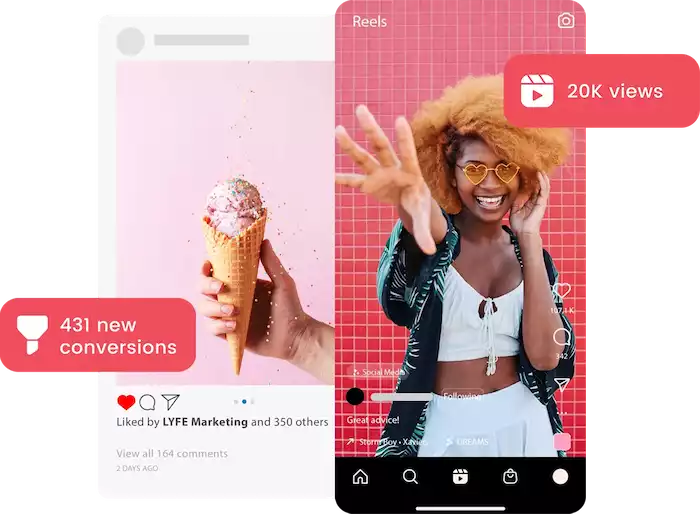
To turn casual viewers into a dedicated community, you need to engage your audience through meaningful interactions, smart content strategies, and the platform’s built-in tools.
Organic Growth Strategies
Regular posting keeps your profile active in followers’ feeds. Quality content leads to shares, saves, and an algorithmic boost. Comment thoughtfully on accounts within your niche, collaborate with peers, and join IG Lives with other brands.
Encourage followers to tag friends, share your post to stories, or follow your account in exchange for entry. Share your Instagram content on your website, email newsletter, other social channels, and ask existing customers to follow you because this drives multi-channel growth.
Interacting with Your Followers
Responding promptly helps build rapport, shows your audience you value them, and encourages more engagement. In fact, quick replies on Instagram are proven to improve the overall customer experience.
You can also use Stories or posts to ask followers what they’d like to see, run polls or quizzes to gather opinions, and invite customers to share photos of your products. Reposting their content adds social proof, and featuring influencer collaborations can help you reach new audiences.
Leveraging Instagram Features for Engagement
Live broadcasts allow you to show behind the scenes, answer questions in real time, and build deeper trust with your audience.
Use Guides to compile useful posts, product lists, or tips in one place. This serves both followers browsing your profile and new visitors. Use DMs for personalized support, follow-ups, and to build one-on-one connections with key followers. This helps convert engaged users into customers or brand advocates.
Instagram Advertising: Reaching a Wider Audience
Understanding Instagram Ad Formats
Instagram supports multiple ad types like single image, video, carousel (multiple cards), collection (product gallery), and Explore tab placements. Create mobile-first visuals (vertical or square), keep text minimal, ensure branding appears early, and tailor creative to placement (feed vs stories vs explore).
Setting Up Your Instagram Ad Campaigns
Start with a clear goal: do you want to raise brand awareness, drive website visits, or boost purchases? That goal will dictate creative and targeting. Use the Meta Ads Manager to define audience demographics, interests, behaviours, custom audiences (past website visitors), or look-alike audiences (similar to past customers).
Choose between a daily budget or a lifetime budget, set duration, let Meta place ads automatically (Advantage placements), or choose manual placements if you have experience.
Measuring Ad Performance
Monitor metrics such as reach/impressions, click-through rate (CTR), conversion rate (purchase or lead), cost per result, and return on ad spend (ROAS). Test multiple creatives, copy variations, placements, and target audiences in parallel to discover what works best. Use the data to refine future campaigns.
To unlock the full power of Conversions API (CAPI), you need a trusted third-party integration, and Pancake is a top choice. It seamlessly connects Messenger to CAPI, syncing first-party data like emails, phone numbers, and user preferences directly from chats, while pushing high-intent signals to Meta. No guesswork and no pixel gaps - Pancake enables hyper-accurate retargeting and boosts ROAS by feeding richer, server-side events into your campaigns.
Advanced Instagram Marketing Tactics
Influencer Marketing on Instagram
Find influencers whose audience aligns with your brand and whose engagement is authentic. Focus on niche-micro influencers if your budget is limited. Agree on deliverables (posts, stories, takeovers), clear expectations (reach, engagement). Track performance through campaign-specific links or unique codes to measure ROI.
Instagram Shopping and E-commerce Integrations
Connect your product catalogue to Instagram. Enable product tags on posts and stories so users can tap and buy. Use shoppable tags on single images, carousels, or videos to make product discovery and purchase seamless. Link Instagram Shopping to your online store (e.g., Shopify, WooCommerce) and streamline checkout experiences for mobile users.
Utilizing Instagram Analytics
Use Instagram Insights to track follower growth, story views, post saves/shares, and engagement rate. Use that data to guide content strategy. Consider tools that pull in deeper metrics across placements, integrate CRM data, and show the lifetime value of followers or conversion paths.
Customer Service through Instagram
Ensure your social support process covers Instagram comments and DMs. Quick, helpful responses strengthen trust and reduce negative sentiment. Use Botcake AI to automate replies 24/7, handle FAQs, and personalize messages for each customer. You can also use story stickers to trigger DMs (e.g., “Ask us a question”), treating Instagram as a full support channel - not just a marketing tool.
Best Practices and Future Trends
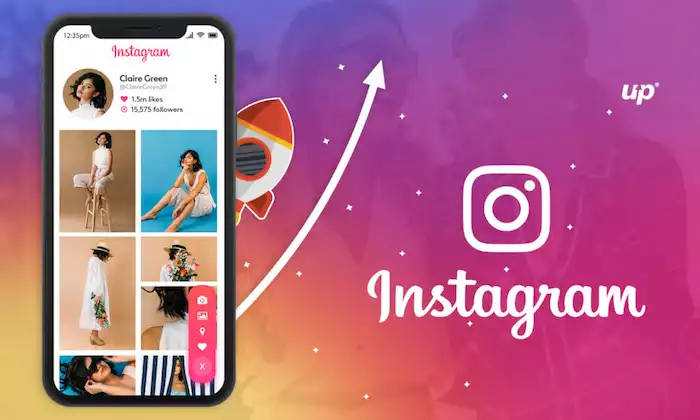
Staying Authentic and Building Community
Maintain a consistent tone of voice; be honest about your value proposition; avoid overly polished “perfect” content that feels inauthentic. User-generated content, implementing behind-the-scenes posts, and featuring real customers are some of the good strategies. The community will feel more intimate when they see real people, not just brand adverts.
Adapting to Algorithm Changes and New Features
Instagram regularly introduces new formats, features, and rules (e.g., new languages in Reels, DM formatting tools). Stay alert and experiment. Test early with new placements or formats (e.g., Guides, Reels ads, shopping features) to gain early-mover advantage and broader reach.
Future of Instagram Marketing
Look ahead to trends such as augmented reality experiences, immersive shopping, AI-driven ad creation, and new commerce formats. For example, there is significant emphasis now on creative quality and mobile-first formats in Meta’s ecosystem.
Build flexible content workflows, invest in creative assets that can adapt to new formats, and track performance deeply so you can pivot quickly. Automate processes, and consider adopting tools (like the one from Botcake) for managing engagement and re-engagement via channels like WhatsApp, linking Instagram outputs to your broader business systems.
Conclusion
To truly succeed on Instagram, treat it as a strategic platform. Focus on optimizing your profile, sharing compelling content, engaging your followers, and using ads effectively. Keep tracking your results, adjusting your strategy, and scaling your efforts - and let Botcake.io help turn your Instagram presence into measurable growth.