


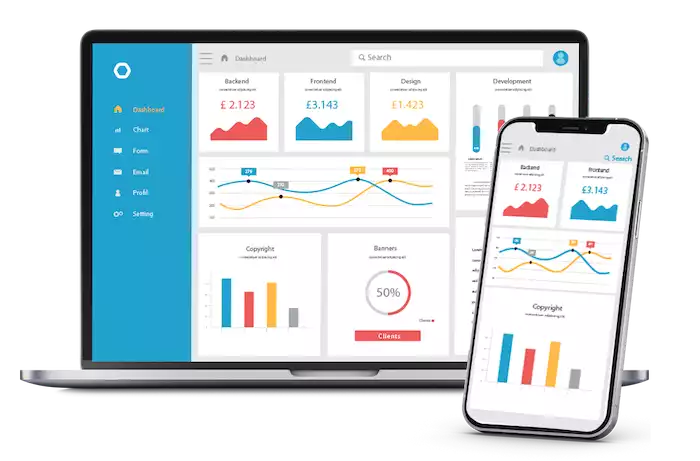

Unlock business growth with the best customer database programs. This guide explores how CRMs help you organize customer data, personalize communication, and make smarter decisions to boost sales and loyalty.
Introduction
Think about how businesses used to keep track of their customers. Maybe they used paper address books, messy spreadsheets, or just tried to remember everything. It was challenging to maintain organization, especially as the business expanded. However, we now live in a digital world. Information is everywhere, and businesses that know how to use it have a huge advantage.
What are Customer Database Programs?
Customer database programs are special software tools that help businesses manage information about their customers. You may hear them referred to as CRM systems. "CRM" stands for "Customer Relationship Management."
Their main job is to be one central, organized place for all your customer information. Instead of having info in different spreadsheets or email inboxes, these programs bring it all together. They help you store, organize, and understand things like customer names, email addresses, what they have purchased, and how they interact with your business.
Why a Comprehensive Customer Database is Essential for Every Business
In today's world, knowing your customer is everything. A good customer database program is not just a fancy address book; it is like the brain for all your customer actions. It helps you:
-
Build Better Relationships: You can gain a deeper understanding of your customers. This helps you have more personal and helpful chats with them.
-
Improve Marketing and Sales: You can send the right message to the right person at the right time. This enhances your marketing and sales efforts significantly.
-
Make Smarter Decisions: You can use real facts about your customers, not just guesses, to guide your business plan.
Key Features and Functionalities of Effective Customer Database Programs
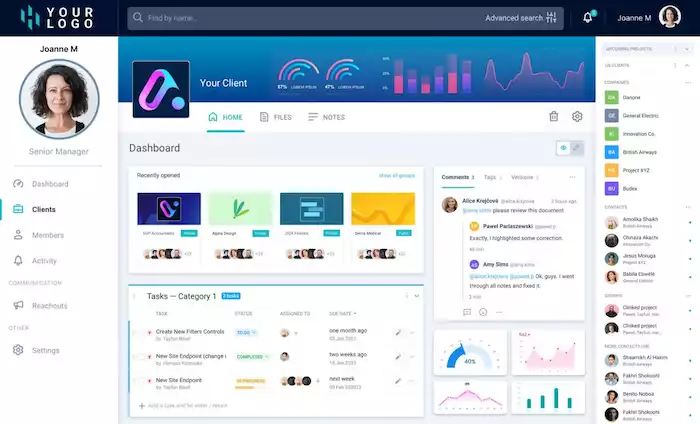
Not all customer database programs are the same. However, the best ones all share a few key features that make them particularly helpful.
Data Collection and Storage
The most basic job of this software is to be a "central hub" for all your customer info. This includes:
-
Contact details (name, email, phone)
-
Basic info (age, location)
-
Purchase history (what they bought, when they bought it)
-
Interaction records (every email they opened, every support chat they had)
Good programs make it easy to add information from other sources (such as an Excel sheet) and help you keep the data clean and accurate.
Customer Segmentation and Profiling
Just storing information is not enough. You need to be able to understand it. Good customer database programs have tools to help you "segment," or sort, your customers. You can put them into different groups based on things they share. You could make groups for:
-
Where they live
-
How often do they buy
-
What they are interested in
This allows you to create "customer profiles" (or "personas") to understand the different types of people who purchase from you. This marketing strategy segmentation is a key part of smart marketing.
Interaction Tracking and History
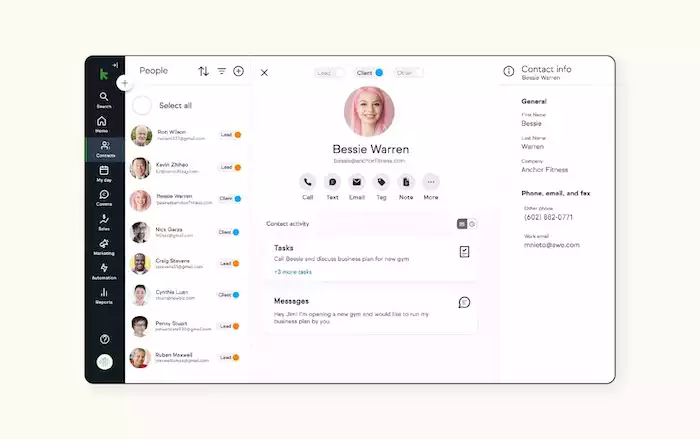
A great database keeps a record of every time a customer "touches" your business. Did they open your email? Did they visit your website's price page? Did they ask your chatbot a question? All this information is saved on their profile. This provides your entire team with a comprehensive account of that customer's journey. It means anyone on your team can help a customer without having to ask, "What did you talk about last time?"
Reporting and Analytics
Information is only useful if you can understand it. Customer database programs often include reporting tools that convert your data into simple charts and graphs. You can track important metrics, such as the value a customer brings over time or the number of customers who stop buying. These reports help you see what is working and what is not.
Integration Capabilities
Your customer database should not be a lonely island. It needs to connect to the other tools you use every day. This includes your email tool, your online store (like Shopify), and your sales tools.
Many new CRMs, like Pancake CRM, are made to connect easily with chat tools like Botcake. This means if you talk to a customer on WhatsApp or Messenger, the chat is automatically saved in their profile. This is super helpful!
Security and Compliance
Customer information is very private. Your program must have strong security to protect it. This includes features such as data encryption (which scrambles the data so that hackers cannot read it) and access controls (which allow you to determine who on your team can view what). It also needs to help you comply with privacy laws, such as GDPR in Europe. Protecting your customers' information is the best way to earn their trust and confidence.
Types of Customer Database Programs
The name "customer database program" can refer to several types of software. Each one serves a different purpose.
CRM (Customer Relationship Management) Systems
CRMs are the most common and complete type. They are made to manage the whole customer journey, from sales to marketing to support. They usually have numerous automation tools to help your teams work more efficiently. Examples include Salesforce, HubSpot, Zoho CRM, and Pancake CRM.
Best For: Most businesses (small or large) that want one tool to manage everything about their customers.
Standalone Customer Databases
Sometimes, a big CRM is too much. A standalone database just focuses on storing and organizing your information. It lacks all the additional automation tools for sales and marketing.
Examples: Microsoft Access, Airtable (which is like a very powerful spreadsheet).
Best For: Very small businesses or teams that just need a simple, clean place to keep their contact lists.
Marketing Automation Platforms
These tools are mainly for marketing teams. They have a customer database inside, but their main strength lies in running large-scale marketing campaigns, such as sending multiple emails in a row.
Examples: Marketo, ActiveCampaign.
Best For: Businesses that do a lot of marketing and need to send messages to thousands of people at once.
E-commerce Platforms
If you have an online store on a platform like Shopify, you already have a basic customer database. It knows who bought what.
Best For: Basic order tracking. But it is limited. It is not aware of other chats or support calls. That is why most big stores connect their shop to a real CRM.
Choosing the Right Customer Database Program for Your Business

Selecting the right software is a significant decision. Here is how to make a good choice.
Assessing Your Business Needs and Goals
First, think about your business.
-
What problems do you have? (Example: "Our contacts are a mess," or "We keep forgetting to follow up with people.")
-
What are your goals? (Example: "We want to sell 20% more," or "We want to make our customers happier.")
-
What is your budget? How many people on your team will use it?
Key Considerations During Selection
Look at your options and ask these questions:
-
Features: Does it have the tools you really need? (Like a chatbot connection or a sales pipeline?)
-
Ease of Use: Is it easy to learn and use? If it is too hard, your team will not use it.
-
Scalability: Can this tool grow with your business? Or will it be too small in two years?
-
Integrations: Does it connect to the other software you already use?
-
Support: Does the company offer good customer support if you encounter any issues?
-
Security: Is it safe?
Step-by-Step Selection Process
-
Define Requirements: Make a "must-have" list and a "nice-to-have" list of features.
-
Research Options: Identify 3-5 programs that appear to be a good fit.
-
Demos & Trials: Sign up for a free trial or request a demo.
-
Evaluate: Get your team to try the software. See what they think.
-
Decide: Select the option that works best for your team and budget.
Using Pancake CRM, in addition to data management and appointment scheduling features, you can also send signals to Meta to optimize Facebook advertising.
Best Practices for Implementing and Utilizing Customer Database Programs
Choosing the software is just the first step. You must use it effectively to maximize its value.
Data Quality and Hygiene
Your database is only as good as the information inside it. If your data is outdated, incorrect, or disorganized, the software cannot assist you. Make rules for your team to enter new info correctly. You also need to "clean" your database often, like fixing typos or deleting old contacts.
User Adoption and Training
A powerful tool is useless if nobody on your team uses it. You have to get everyone excited. Show them how it makes their job easier, not harder. Provide them with good training and make it a regular part of their daily work.
Data Security and Privacy
Always be careful with customer data. Use strong passwords. Set up permissions so people on your team can only see the info they need for their job.
Regular Analysis and Optimization
Do not just store data; use it! Make it a habit to look at your reports. What can you learn? Are customers complaining about the same thing? Use these facts to make your business smarter.
Personalization and Customer Experience
This is the main goal! Use your data to make every customer feel special.
-
Say hello by name.
-
Look at what they bought before you talk to them.
-
Send them offers for things they actually care about.
When you use data in your customer chats, it really works. Businesses that use conversational AI for sales (which is powered by a database) see amazing results. For example, the cosmetics brand Le Van Anh used data to make their chats personal, which led to a 3.6x higher sales rate from their ads.
Future Trends in Customer Data Management
These tools are continually improving and getting smarter. Here is what is coming next:
-
AI and Machine Learning: AI (Artificial Intelligence) is being built into these programs. It can help predict which customers are likely to make a purchase soon or which ones are more likely to leave. It can also help find the best new leads for your sales team.
-
Hyper-personalization: In the future, AI will enable businesses to create a personalized, one-on-one experience for every customer.
-
Enhanced Data Privacy: People are more worried about their data privacy. Businesses must be very open and honest about how they use customer information. Being trustworthy is more important than ever.
-
Cloud-Based Solutions: Almost all new databases are "in the cloud," which means they work online. This allows you and your team to access your customer information from anywhere, on any device, including computers and phones.
Conclusion
In today's world, a good customer database program is not just a nice extra; it's essential. It is a "must-have" tool for any business that wants to grow. It is the primary tool for understanding your customers, engaging in personal conversations, and making informed decisions.
Whether you choose a simple database or a comprehensive CRM, the right tool will transform your messy customer information into your most effective tool for success. If you are still using spreadsheets to track customers, it is time to upgrade. You should check out modern tools like Pancake CRM or Botcake that are built for the fast, chat-first world we live in today.