


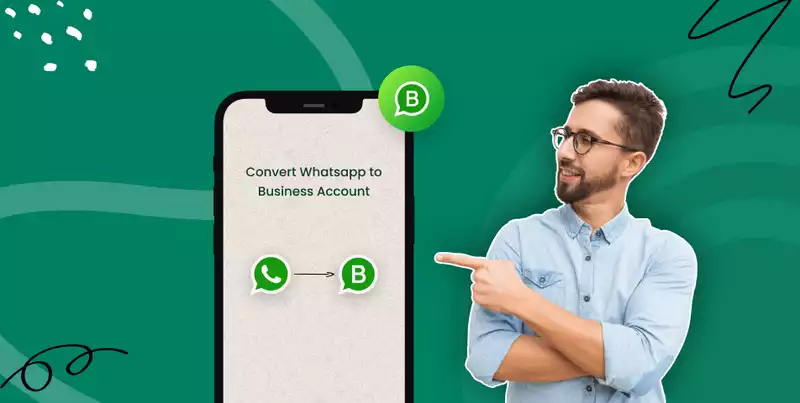

How to Transform Your WhatsApp Account into a Professional Powerhouse
WhatsApp is a massive marketplace with over 3 billion monthly active users worldwide. Yet many businesses still use personal accounts to talk to customers, which looks unprofessional and costs them sales. You're likely missing out on a huge opportunity to build trust and grow your brand. This guide is the solution. We'll show you exactly how to change your WhatsApp account into a professional powerhouse that wins customers.
Introduction

WhatsApp began as a simple chat app for friends, but its massive popularity quickly made it a place where businesses needed to be. Customers prefer sending a quick message over a phone call, and savvy businesses are meeting them on the app they use daily. However, using a personal account for business mixes up your conversations, looks unprofessional, and lacks the necessary tools for growth. By changing to a professional WhatsApp account, you unlock a suite of features designed specifically for business. This simple switch allows you to create an official brand page, communicate more efficiently, and build the trust that turns conversations into loyal customers.
Getting Started: Moving to WhatsApp Business
Making the switch is easy. The first step is to know what you're getting. You must also learn how to move your old chats without losing them. This section will guide you through the process.
WhatsApp vs. WhatsApp Business
The two apps look almost the same, but they are very different. Regular WhatsApp is for your personal life. The WhatsApp Business app is a separate, free app for business owners. It is packed with special features that the personal app does not have. These tools are what help you run your business like a pro. A business profile makes you look official. Messaging tools help you reply instantly. A product catalog turns your WhatsApp into a small online store. Using the right tool for the job enables you to look more professional and save time.
How to Move Your Chats: Step-by-Step

Follow these simple steps to move from your personal account to a business one. This will keep your old chats safe and sound.
-
Back up your chats. This is the most crucial step. Before you do anything else, save your chat history. Go to your personal WhatsApp settings and back up your chats. On an Android phone, this saves to Google Drive. On an iPhone, it saves to iCloud. Do not skip this step. It is the only way to keep your old conversations.
-
Get the Business app. Go to your phone's app store. Search for "WhatsApp Business" and download the free app. It is a different app, so you can have both on your phone for a while.
-
Use your business number. Open the new WhatsApp Business app. It will ask you to verify your phone number. You can use the same number when switching, but some businesses prefer a dedicated business number. You can either use your existing number (the app will migrate your account) or set up a dedicated business number for separation.
-
Bring your old chats over. After you verify your number, the app will find your backup. It will ask if you want to restore your chat history. Say yes. All your old chats, pictures, and files will move to the new app.
Setting Up Your Business Profile
Your business profile is like your online storefront. It's the first thing customers see. Filling it out completely helps build trust and makes it easy for people to find info.
-
Name and description. Add your official business name. Write a short, clear description of what your business does.
-
Business category. Pick a category that fits your business. This could be "Retail," "Restaurant," or "Beauty Salon." This helps people understand what you offer right away.
-
Contact info. Add your business email and a link to your website. If you have a physical store, you can add your address too. It will show up on a map for customers.
-
Business hours. Set your hours so people know when you're open. This is a simple way to manage customer expectations and avoid frustration.
Key Features for Pro Communication
The free Business app has excellent tools to make your work easier. They help you save time and make customers happy. These features are the foundation of a professional WhatsApp strategy.
Messaging Tools
These tools work like a helpful assistant. You can set up a Welcome Message to greet new customers when they message you. This makes a great first impression. An Away Message can reply when you're busy or after hours. This lets customers know you got their message and when you'll be back.
Quick Replies are a huge time-saver. You can save answers to common questions, like your prices or location. Then, you can send them with just one tap. You can make these tools even smarter with automation.
Learn more at botcake.io/integrations/whatsapp.
Labels for Organization
As you get more customers, keeping track of all the chats can be hard. Labels help you stay organized. You can create color-coded tags for your chats. For example, you could make labels like "New Customer," "Order Placed," "Payment Needed," and "Completed." This helps you see where each customer is in your sales process. It makes sure no one gets forgotten.
Product Catalog
The Catalog is like a mini-store inside WhatsApp. It's one of the best features. You can add good pictures, prices, and descriptions to your products or services. When a customer asks about something, you can share it from your Catalog in the chat. This makes it easy for them to see what you offer and decide to buy.
Advanced Ways to Use Your Pro Account
Once you know the basics, you can try more advanced tricks. This means connecting WhatsApp to your other tools and using the API to grow. This is how you go from managing chats to building an automated sales machine.
Connect to Your Website and Social Media
Add a WhatsApp chat link to your website or Instagram page. This makes it very easy for people to talk to you. You can put a "Chat with us on WhatsApp" button on every product page. You can also connect WhatsApp to your customer list (CRM). This can automatically save new customer info for you, so you never lose a lead.
Go Bigger with the WhatsApp Business API
When your business gets too big for the free app, you need the WhatsApp Business API. This is the best tool for growing. It lets you use intelligent chatbots that can answer questions 24/7. It also gives your whole team a shared inbox to answer messages together. You can even apply for a green checkmark to show you're an official, trusted brand.
Track Your Results
With the right tools, you can see how well your messages are doing. You can learn what works best and improve your marketing and support. You can track which messages lead to the most sales. This helps you make smarter decisions about your business.
Real-Life Examples
A pro WhatsApp account works for any business. Here are some ideas to get you started.
-
Small Shops: A local coffee shop can use the Catalog to show its daily menu. Customers can then send their order directly in the chat for a quick pickup.
-
Online Stores: A clothing store can use quick replies to answer common questions about sizes and materials. This gives customers the confidence to buy.
-
Service Businesses: A hair salon can use it to book appointments and send automatic reminders the day before. This helps reduce no-shows.
-
Schools: A language school can use labels to organize students by class. They can then send updates and homework reminders to each group.
See more: botcake.io/use-cases/whatsapp.

Best Practices for a Pro Experience
Switching your account is just the first step. To be successful, you need to chat in a way that builds trust and makes customers happy.
-
Be Professional. Keep your messages friendly but professional. Use proper grammar and avoid too much slang.
-
Protect Customer Data. Be honest about how you use customer information. Never ask for sensitive details like credit card numbers in a chat.
-
Set Clear Hours. Use your profile and away messages to tell people when you'll reply. This manages their expectations.
-
Keep Things Updated. Make sure your Catalog and business info are always current. Nothing is more frustrating for a customer than outdated information.
Conclusion
Changing your personal WhatsApp to a professional account is a key step for any growing business. It gives you the tools to build a trusted brand, communicate well, and turn simple chats into sales. The journey starts with the free Business App, but as you grow, you can scale with the API to automate your chats. To unlock the full power of automation, explore a platform like Botcake to manage your professional conversations and build workflows that sell for you.